Aniimo Download Guide: How to Start Your Journey on Idyll
Looking for the official Aniimo download? Follow our step-by-step guide to installing this exciting creature-collecting RPG on PC and console today.
Published:
Video Guide
How To Download And Play Aniimo On PC (Step By Step)Table of Contents
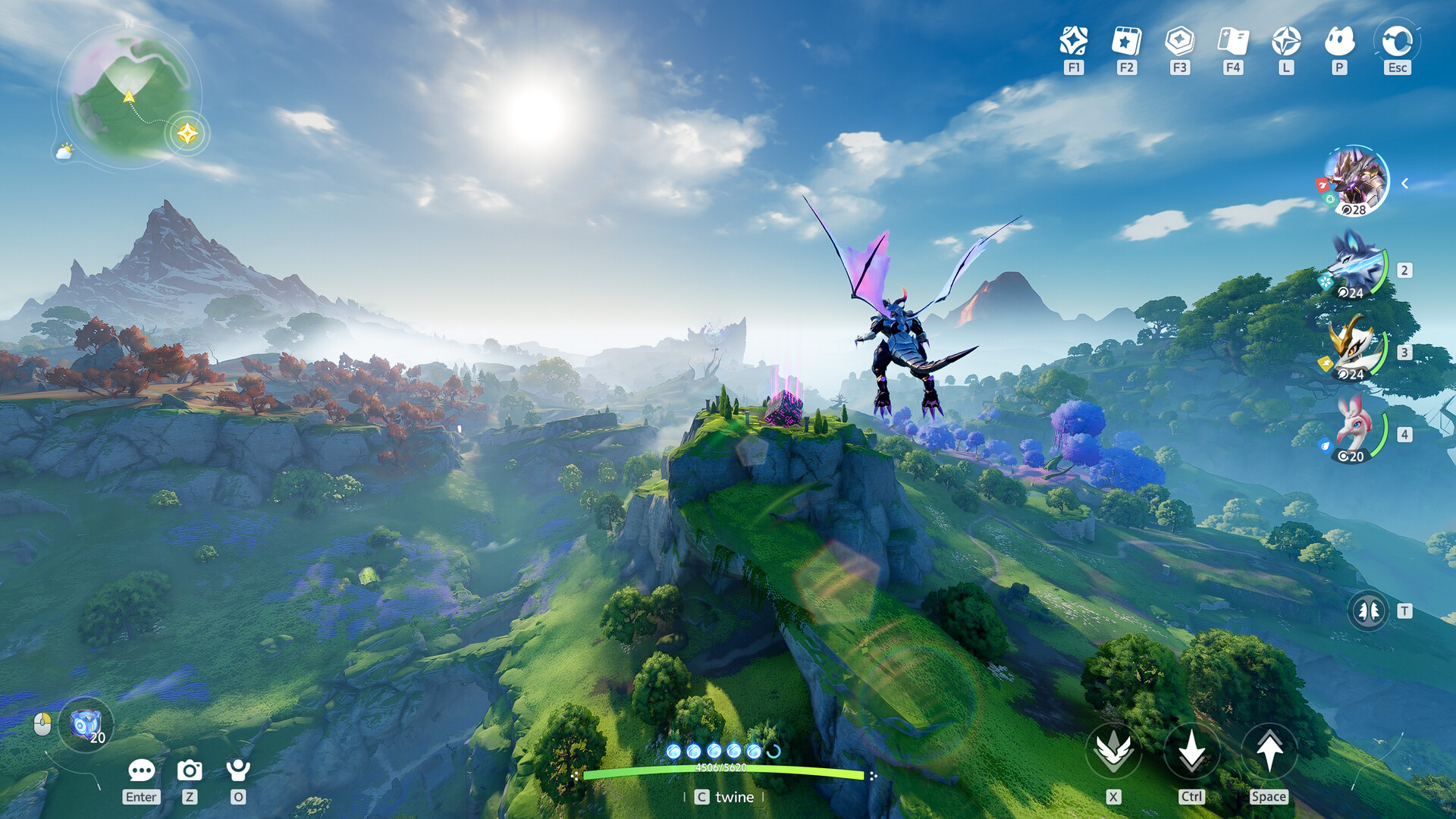
The wait is finally over for fans of creature-collecting RPGs, as the gates to the mystical continent of Idyll have officially swung open. Whether you are a veteran of the genre or a newcomer drawn by the promise of mystical bonds, securing your aniimo download is the critical first step to beginning your adventure.
This guide covers everything you need to know to perform a successful aniimo download, from checking your system specs to optimizing your setup for the smoothest gameplay experience. Getting started correctly is vital, as the world of Idyll is complex and requires a stable foundation for your journey.
Understanding the World of Aniimo
Aniimo is more than just a game; it is an immersive open-world RPG where you, as a Pathfinder, explore, collect, and "twine" with unique creatures. The game’s appeal lies in its dynamic ecosystem, where creatures react to weather, time, and your specific exploration techniques.
Core Gameplay Mechanics at a Glance
Feature
Description
Twining
A unique bond system allowing you to embody and use creature skills.
Creature Collecting
Use Aniipods to capture creatures in the wild; each has unique traits.
Homeland
A personal, customizable RV space to farm and interact with players.
PvE/PvP
Real-time challenges like "Egg Heist" in the Lost Isles.
Why Start Now?
The game features a massive open world with real-time, environmental-based creature spawns. Starting your journey early allows you to participate in global launch events, which provide essential starting gear like the Aniipod Ultra and exclusive outfits.
System Requirements: Before You Start
Before you initiate your aniimo download, it is essential to ensure your hardware meets the necessary criteria. Based on official developer specifications, playing on an SSD is highly recommended to ensure the open-world assets load seamlessly.
PC Minimum vs. Recommended Specs
Component
Minimum Requirements
Recommended Requirements
Processor
Intel i7-4770 / Ryzen 7 2700
Intel i7-10700 / Ryzen 5 5600
Memory
8 GB RAM
16 GB RAM
Graphics
NVIDIA GTX 970 / RX 5600
NVIDIA RTX 3060 / RX 6700
Storage
40 GB Available Space
40 GB Available Space
DirectX
Version 11
Version 11
Why an SSD is essential: The developers emphasize the use of an SSD to handle the high-density assets found in Starfall Valley and other diverse biomes. Running the game on an HDD may result in stuttering or long load times during traversal.
Step-by-Step: How to Download Aniimo
Securing your copy of the game is straightforward, but following these steps will save you time and potential configuration headaches.
1. Access the Official Distribution Channels
The most reliable method is to visit the official Aniimo website or their dedicated Steam store page. Avoid third-party sites that claim to offer "pre-cracked" or modified files, as these pose a significant security risk to your system.
2. Pre-load and Installation
If you are playing during a launch window or a major update, the game typically allows for a pre-download phase.
Check the Launcher: Ensure your Steam or official client is updated to the latest version.
Clear Disk Space: Ensure you have at least 45GB of free space, even though the base install is 40GB, to allow for temporary installation files.
Verification: Once the aniimo download completes, use the "Verify Integrity of Game Files" feature in your launcher to ensure no data corruption occurred during the transfer.
Performance Tip: If you notice frame drops, adjust the settings to lower the "environmental density" before turning down resolution. Many players find that keeping shadow quality at medium provides the best balance of visual fidelity and stable frame rates.
Community Insights: Avoiding Common Pitfalls
Based on early player feedback and community reports, there are a few common mistakes that new Pathfinders often make during their first few hours.
Common Early-Game Challenges
Error
Why It Happens
Solution
Full Inventory
Catching too many duplicates early on.
Regularly check your logs and release unwanted creatures for resources.
Ignoring Twining
Treating it as a purely combat-focused skill.
Use Twining for puzzle-solving and environmental interaction, not just fighting.
Missing Daily Events
Assuming login rewards are automatic.
Visit the event page in the UI to manually claim your milestone rewards.
Community members on forums often point out that the "Ember Pup" is an excellent starter choice because its fire-type abilities are useful for clearing initial obstacles in the tutorial area. Don't rush past the early quests—they provide critical training on how to use your Aniipods effectively.
Frequently Asked Questions
Is the aniimo download free?
Yes, Aniimo is a free-to-play, next-gen open-world RPG. While there are in-game purchases for cosmetics and convenience items, the entire core game and all story content are accessible without cost.
Can I play Aniimo on a Steam Deck?
While officially listed as "Unknown" for full compatibility, many players have successfully launched the game via Steam. You may need to adjust the proton settings or lower graphic presets for optimal performance on handheld hardware.
What should I do if the aniimo download is stuck at 99%?
This is often caused by a background security software conflict or a full disk drive. Try pausing the download, restarting your computer, and ensuring your antivirus hasn't quarantined any of the game's manifest files.
Does the game support cross-platform progression?
Yes, your progress is tied to your account, allowing you to pick up where you left off between supported platforms as long as you log in with the same credentials.