Aniimo Steam Account Linking Guide: Don't Lose Your Progress
Learn how to properly connect your Aniimo Steam account to avoid losing beta rewards and pre-registration items. Follow our expert step-by-step tutorial.
Published:
Table of Contents
The world of Idyll is finally open, and thousands of Pathfinders are rushing to begin their creature-catching adventure. However, if you are planning to play Aniimo Steam, there is a critical, one-time setup step that you absolutely cannot afford to skip. Failing to link your account correctly during the first launch can lead to the permanent loss of your hard-earned beta rewards and pre-registration promise eggs.
Why is this so important? When you launch the game for the first time, the system will prompt you for an account connection. If you mindlessly click through this pop-up, the game will automatically generate a new, unlinked account for you, effectively locking your previous progress behind a wall that cannot be undone. In this guide, we will walk you through the proper way to link your Aniimo Steam account to ensure your items are safe.
Understanding the Account Linking Process
The core issue stems from how the game identifies your user profile across different platforms. Whether you are using a PC, Xbox, or PlayStation, the game needs a single, unified "passport" (your email) to track your items, such as your pre-registration bonuses and beta participation rewards.
Many players assume their Steam login is enough, but Aniimo Steam requires an additional layer of verification to bridge the gap between your game client and the developer’s servers.
Key Account Status Checklist
Stage
Action Required
Consequence of Skipping
First Launch
Link existing email
Automatic new account creation
Account Sync
Verify region (NA/EU/AP)
Potential lock-out from cross-play
Reward Claiming
Mailbox verification
Loss of pre-reg "Susuta" egg
As noted by official community moderators, the system is designed to be a one-time "gate." If you miss this gate, the server creates a new ID tied to your Steam platform identity, which cannot be merged with your existing web-based registration profile later.
Step-by-Step: Connecting Your Account Safely
When you first boot up the game, you will be greeted by a crucial pop-up window. Do not rush to click "Start Game." Take a deep breath and follow these steps to ensure you are playing on the correct, linked account.
Step 1: Prepare Your Credentials
Before opening the game, ensure you have the email address you used for the official Aniimo website pre-registration, web events, or beta participation ready.
Step 2: The Critical First Launch
Open the game via the Steam launcher.
When the pop-up appears, select the "Link Account" or "Sign In" option.
Enter the exact email address you used for your pre-registration.
Confirm your region settings.
Crucial Regional Warning
Your account region (NA, EU, or AP) must be consistent across all your linked platforms. You cannot merge an EU-registered email with a Steam account set to the North American region. Check your regional settings before confirming the link.
Why Regional Consistency Matters
A frequent point of confusion for new players is the regional locking system. According to community reports, if you are a console user transitioning to Steam or vice versa, your region is often hard-coded based on your platform account.
If you find yourself unable to link your accounts, double-check your current region. If you are playing on a PlayStation network, be aware that your server is locked by the PSN environment settings. Players should avoid trying to "force" a different region through VPNs, as this can lead to latency issues or, in extreme cases, administrative account flags.
Regional Configuration Table
Platform
Server Flexibility
Limitation
Steam (PC)
Regional selection possible
Must match email region
PlayStation
Locked to PSN region
Cannot be changed manually
Xbox
Linked to MS Store region
Requires consistent credentials
Gameplay Overview: What Awaits You in Idyll
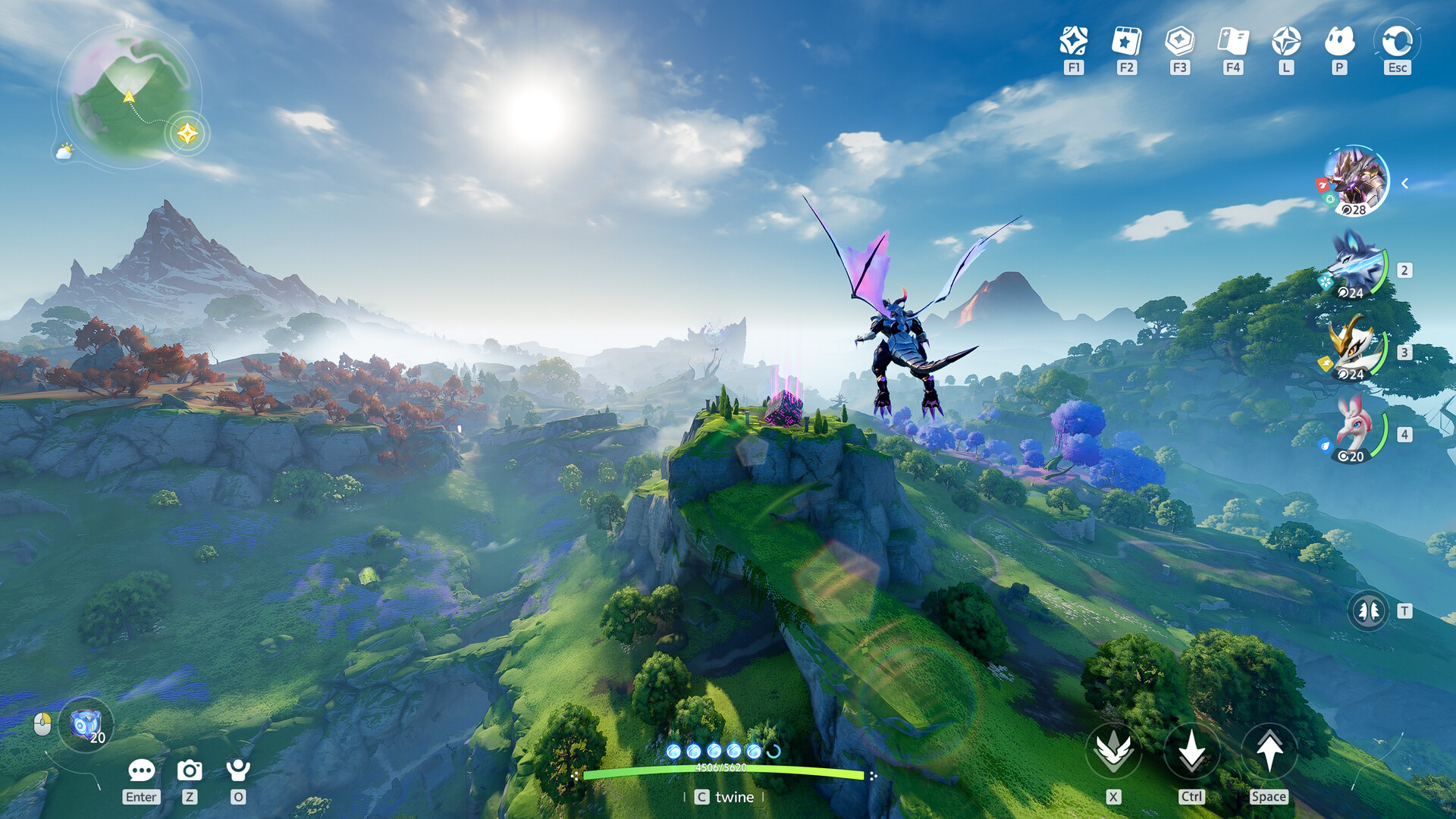
Once your Aniimo Steam account is successfully linked, you can finally dive into the vast world of Idyll. The game offers a fresh take on the creature-catching genre, blending open-world exploration with a unique "Twining" mechanic.
Instead of just ordering creatures to battle, you can "Twine" with them to traverse the world. For instance, twining with an Emberpuff allows for high-speed traversal, while a Floofynemi lets you glide across the sky. This transforms exploration from a simple A-to-B movement into a puzzle-solving experience where you must select the right creature for the environment.
Gameplay Core Mechanics
Creature Catching: Over 200 creatures, each with unique biomes, weather preferences, and time-of-day requirements.
Twining: A spiritual connection mechanic that grants players mobility skills and unique elemental abilities for both combat and traversal.
Homeland System: A personalized RV-based pocket dimension where you can farm, decorate, and let your captured Aniimo assist with chores.
Avoiding Common Pitfalls
We have gathered common player errors from the community to help you avoid the frustration of a "fresh start."
The "Guest" Trap: Many players assume they can link their account after the tutorial. This is incorrect. If you finish the tutorial as a "Guest," you have already bypassed the linking window.
Email Mismatch: Ensure you are not using a secondary email address. Use the primary one you used during the pre-registration window to guarantee your rewards are waiting in your in-game mailbox.
Server Confusion: If you have friends playing, ensure you are all selecting the same regional server, as cross-region play is not currently supported.
Checking Reward Status
Once you have successfully linked your account, head to the in-game mailbox. If the linking was successful, you should see your pre-registration "Susuta" egg and any other campaign rewards waiting for you.
Frequently Asked Questions (FAQ)
Can I link my Aniimo Steam account after I have already started playing?
Unfortunately, no. The linking window is a one-time prompt during the very first launch. If you have already started playing and skipped the pop-up, you have essentially created a new, unlinked account. You would need to contact support or consider using a different account to link your progress correctly.
What if I am playing on both Steam and a console?
The key is to use the exact same email address for all platforms. Once you link the email to your primary platform, subsequent logins on other platforms should recognize the credentials, provided the regions are identical across the board.
Are there any specific requirements for my PC to run Aniimo?
To ensure a smooth experience, ensure your PC meets the recommended specs (Intel Core i7-10700 / 16GB RAM / NVIDIA GeForce RTX 3060). The game is quite expansive, and having a stable, fast internet connection is highly recommended due to the always-online, multiplayer nature of the Egg Heist and social zones.
Where can I find more updates about Aniimo events?
The best place to stay updated is the official Aniimo Community Hub on Steam or the official game website. They regularly post event calendars and update logs that outline upcoming rewards for active Pathfinders.